Everything Kinfara does.
One app for staying close to the people you love. Location that's consent‑based, encrypted, and yours. Here's everything Kinfara does.
Select any feature to open its full details. Maps show real U.S. city streets.
See everyone, effortlessly
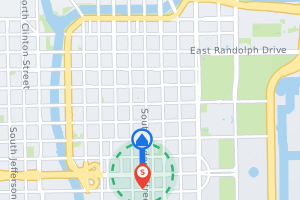 Chicago
See where your loved ones are when they choose to share — updates arrive as their phone reports in.
View details →Live location

See when a phone last reported to Kinfara. This does not confirm its current location.
View details →Last‑seen status
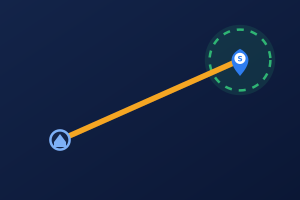 Houston
Tell at a glance whether someone is still or on the move.
View details →Movement status
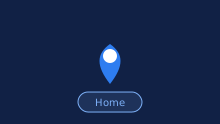
Familiar spots show by name — Home, School, Work — instead of coordinates.
View details →Place recognition
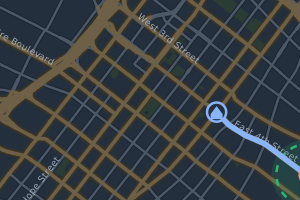 Los Angeles
Look back at where someone was while Kinfara was open on your phone.
View details →Location history
 Philadelphia
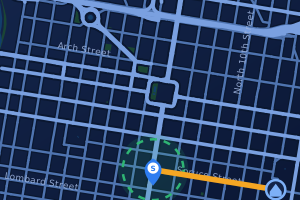
Planned — Watch a trip redraw itself on the map.
View details →Route replayPlanned
See recorded arrival and departure times for saved places.
View details →Arrival & departure times
Places that matter
 New York
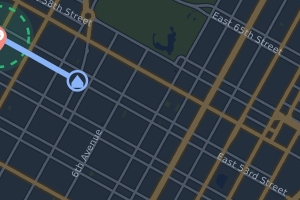
Save places on your phone; detected arrivals and departures can be shared while location sharing is on.
View details →Safe places
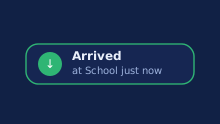
Arrival alerts depend on location sharing, detection and reporting; delivery and timing are not guaranteed.
View details →Arrival alerts

Departure alerts depend on location sharing, detection and reporting; delivery and timing are not guaranteed.
View details →Departure alerts

Save up to 500 places on each phone — no “upgrade to add more.”
View details →Up to 500 saved places
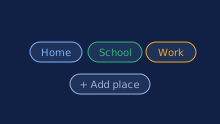
Home, School and Work ready to pick when you add a place.
View details →One‑tap presets

Choose who triggers alerts for each place: everyone, or one member. Delivery and timing of alerts are not guaranteed.
View details →Per‑person rules
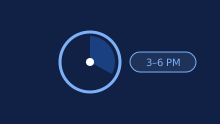
Place alerts only on the days and hours you choose. Delivery and timing of alerts are not guaranteed.
View details →Zone schedules
Alerts that matter
 Dallas
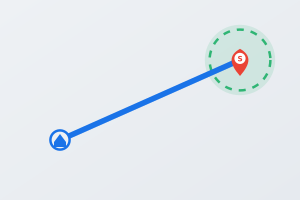
Hear about it if someone's arrival at a saved place is not confirmed by the time you choose. The check runs on your phone, so open Kinfara before the deadline. Delivery and timing of alerts are not guaranteed.
Alerts cannot currently wake a closed Kinfara app on iPhone.
View details →Not‑arrived alert

A heads‑up when someone stays at a saved place longer than the time you choose. The check runs on your phone while Kinfara is open. Delivery and timing of alerts are not guaranteed.
Alerts cannot currently wake a closed Kinfara app on iPhone.
View details →Stayed‑too‑long alert
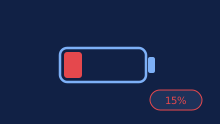
Low-battery alerts depend on reported battery levels; timely delivery is not guaranteed. If a phone has not reported its battery level, the circle shows it as unknown.
View details →Low‑battery alert

An alert when a phone stops reporting for longer than you choose; it does not identify the reason. Delivery and timing of alerts are not guaranteed.
Alerts cannot currently wake a closed Kinfara app on iPhone.
View details →Offline alert
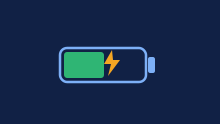
See a family member's battery level at a glance. If a phone has not reported its battery level, the circle shows it as unknown.
View details →Battery level

Choose hours when everyday alerts arrive without sound — quiet hours never silence an SOS.
View details →Quiet hours

Choose which alerts you get, the battery level that counts as low, and how long a quiet phone waits before you hear. Delivery and timing of alerts are not guaranteed.
View details →Custom alerts

Planned — A calm summary of the week — no need to keep checking.
View details →Weekly recapPlanned

On supported Android devices, an SOS may use a high-priority alarm when the required notification and Do Not Disturb permissions are enabled.
View details →Priority alerts

Planned — Mute an alert for a while without turning it off.
View details →SnoozePlanned
Help, close at hand

With an active plan, one tap sends an urgent alert to all members of your circles. Delivery and timing are not guaranteed.
Alerts cannot currently wake a closed Kinfara app on iPhone.
View details →One‑tap SOS
 Denver
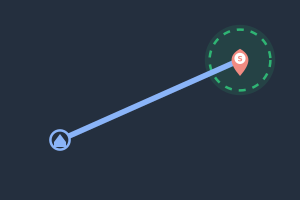
Your SOS carries your location when sharing is permitted and a position is available: at least while Kinfara stays open on your screen, a fresh position about every 10 seconds for a limited time after it is confirmed sent; otherwise updates while sharing is on. Updates may be delayed or unavailable.
View details →Live SOS location

Send a reassuring “I’m safe” in two taps.
View details →Check‑in

An optional countdown lets you cancel an SOS before it sends.
View details →Countdown cancel

With an active plan, send a silent help alert to all members of your circles — no red and no buzz on your screen.
Alerts cannot currently wake a closed Kinfara app on iPhone.
View details →Silent SOS
 Phoenix
Planned — Share a live trip with family until you arrive safely.
View details →Follow‑mePlanned
Stay in touch

Planned — A light tap on the shoulder when someone forgets to check in.
View details →NudgePlanned
 New York
Detected arrivals at saved places can be shared with your circle while location sharing is on.
View details →Safe‑arrival share

A calm timeline of the day's arrivals and departures.
View details →Family feed
Your family, your way

Add everyone who wants to be part of the circle.
View details →Multiple members

Bring someone in with a quick scan or a link.
View details →Simple invites
Ordinary location sharing is visible and requires consent. A covert SOS you start yourself shows nothing on your screen.
View details →Consent‑based pairing
A name and a color badge for each person.
View details →Member profiles

People 13 or older can leave the circle. Children under 13 can stop sharing; their parent is told, and membership and last known location remain until the parent removes them.
View details →Leave anytime
Private by design

Your family's location is end-to-end encrypted. Basic status data, such as when a phone last reported in, is not covered by end-to-end encryption.
View details →End‑to‑end protection

We do not sell your data.
View details →Never sold

Request account deletion; retention exceptions and periods apply.
View details →Delete anytime

Take a copy of the data your phone holds whenever you want.
View details →Data export

Ordinary location sharing is visible and requires consent. A covert SOS you start yourself shows nothing on your screen.
View details →Always‑visible sharing

Protect the app with your face or fingerprint.
View details →App lock
Sign in with Google, protected by your Google account's own security, or with an email and password.
View details →Protected sign-in

See everyone who can view your location — and stop them. Anyone 13 or older can leave any time.
View details →See who can see you

Learn what Kinfara collects and why.
View details →Data minimisation
Made for everyone

Match the app to your taste.
View details →Light & dark themes

Pick the map style you like best.
View details →Choose your map

The app follows your phone's text-size setting for comfortable reading at any age.
View details →Follows your phone’s text size

Planned — A stripped‑back view for younger and older members.
View details →Simple modePlanned
Choose miles or kilometers for distance — the way you read it.
View details →Miles or kilometers

Screen-reader labels, readable contrast and large-text support, checked by automated tests.
View details →Accessible design
Rock‑solid

Background location updates depend on each phone reporting in; delivery and timing are not guaranteed. On iPhone, alerts cannot currently wake a fully closed Kinfara app.
View details →Works in the background
See a previously received location when available, even while offline.
View details →Offline last‑known

Keep your circle connected across iPhone and Android.
Alerts cannot currently wake a closed Kinfara app on iPhone.
View details →iPhone & Android

Improvements to your plan's features are included at no extra charge.
View details →